
Important: If you have turned on auto updates on your smartphone, your app automatically updated on 3 November. You are now able to view your account balances on your home screen and the mega menu is now in the bottom right (three horizontal lines). If you DO NOT have auto updates set up, you will need to update your app manually, you can find instructions here for Apple and Android phones. The latest update is compatible with iOS 12.2 or later and Android 7.0 or later.
Our Police Credit Union Banking App has been refreshed with a new look and some new features. Log in as you would normally and discover:
What’s new in the update?
A shortcut to your accounts: View all your accounts from the new home page. Quick and easy.
Access your Online Statements: View your last 12 months of Online Statements from your profile. Easily view past transactions on the go.
New Mega Menu location: Find extra settings and features (calculators, apply for a loan and product information) in a single location with our Mega Menu (three horizontal lines) on the bottom right.
Improved transaction search: Easily find transactions based on type, amount, details, date or time period. Look for the magnifying glass in the grey circle, in the bottom right when you are looking at an account.
Quick access to your ‘Savings Goals’: Find it under ‘Profile’ with our new feature ‘How I Spend’.
NEW feature ‘How I Spend’: Track where your money is being spent each day with your transactions categorised with handy labels such as Travel & Accommodation, Groceries & Supermarket, Health & Medical and Utilities. Assess areas where you could save some extra money. Looking to apply for a loan? You’ll be able to get a better idea of your week-to-week costs. Turn on this feature under ‘Profile’.
And coming soon..
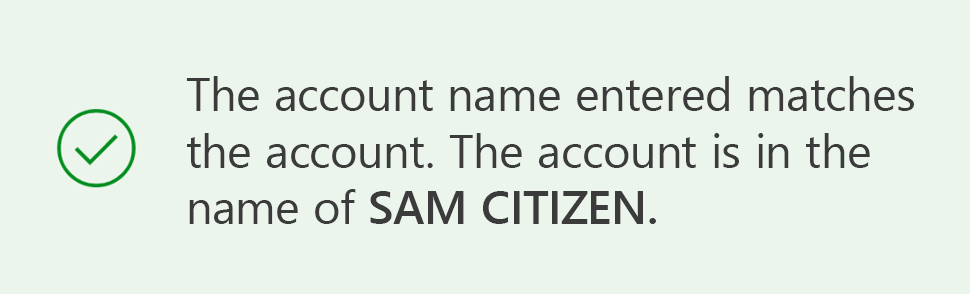
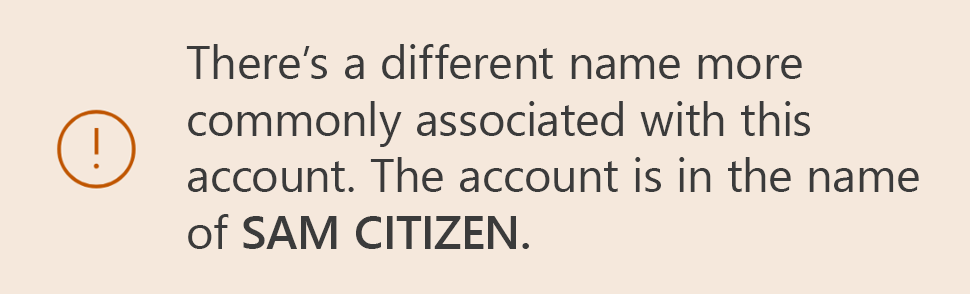
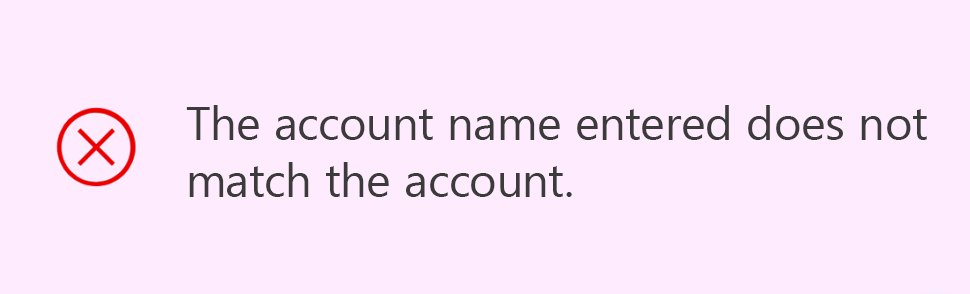
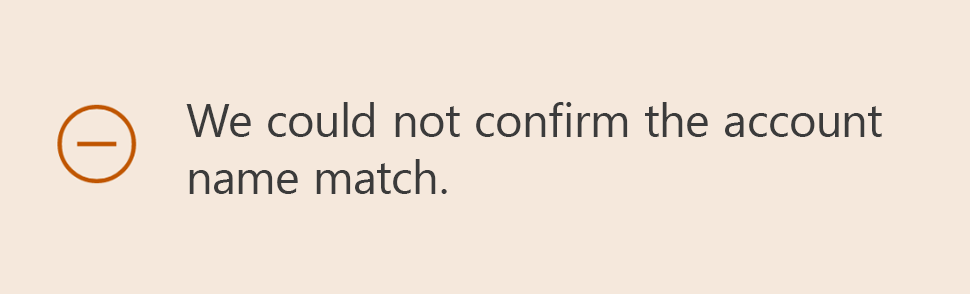
NEW feature ‘Confirmation of Payee’: Confirmation of Payee is an industry-wide service that matches the account name, BSB and account number entered by a payer with the account details held by the recipient’s financial institution. The payer will be able to quickly see the account match outcome, helping to avoid mistaken payments. Learn more about Confirmation of Payee.
Below are the four outcomes you could see:
Bank On Us to continue innovating our access channels, we hope you enjoy the improved convenience and security of our updated Banking App.